
This is possible using the Training Day Rules, accessible for the required day in your web Calendar:
– Go to your web Calendar ① and click on the title of the day ② (e.g., March 9th).
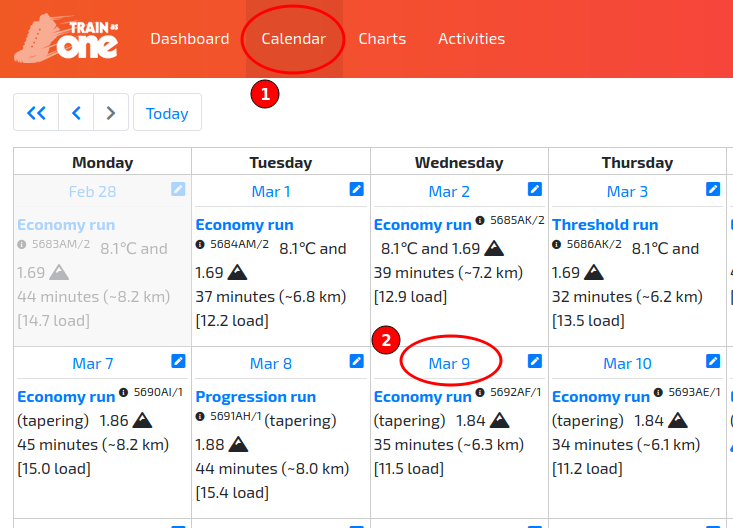
Accessing the Training Day Rule for Mar 9th.
– In the resulting ‘Training Day Rules’ pop-up dialog, set the 'Maximum minutes for run' and then click ‘Save’.
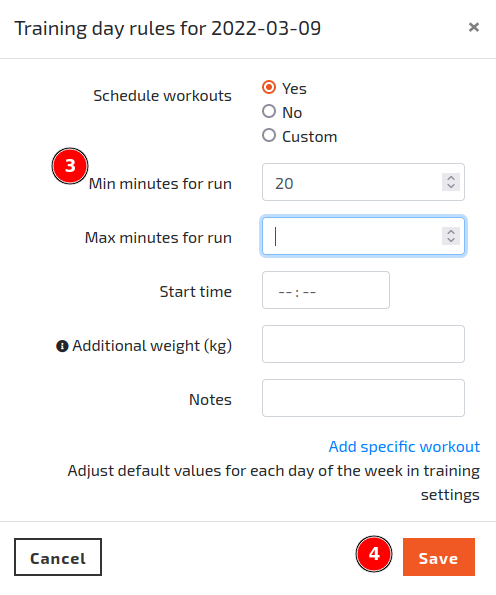
The Training Day Rules dialog illustrating how to specify a maximum run duration for a specific day.