
You have the opportunity to correct the classification of your latest and most recent runs using the 'Run Confirmation' card in either the mobile app or the web application. For older runs you need to correct on the 'Edit Activity' page:
- Click on the run to be corrected on either your Calendar or Activities page to display the Activity Summary dialog.
- On the Activity Summary dialog, click the 'Edit' button to go to the 'Edit Activity' page.
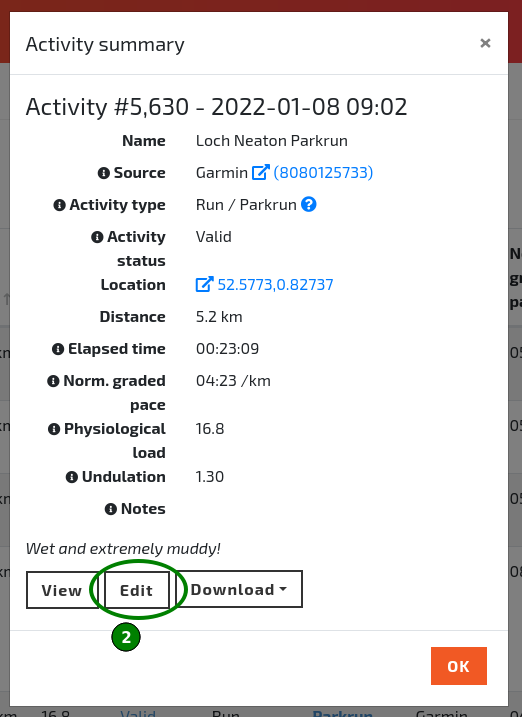
The 'Edit' button of the Activity Summary dialog.
- On the 'Edit Activity' page, select the correct run type from the 'Run type' drop-down menu and click 'Save'.
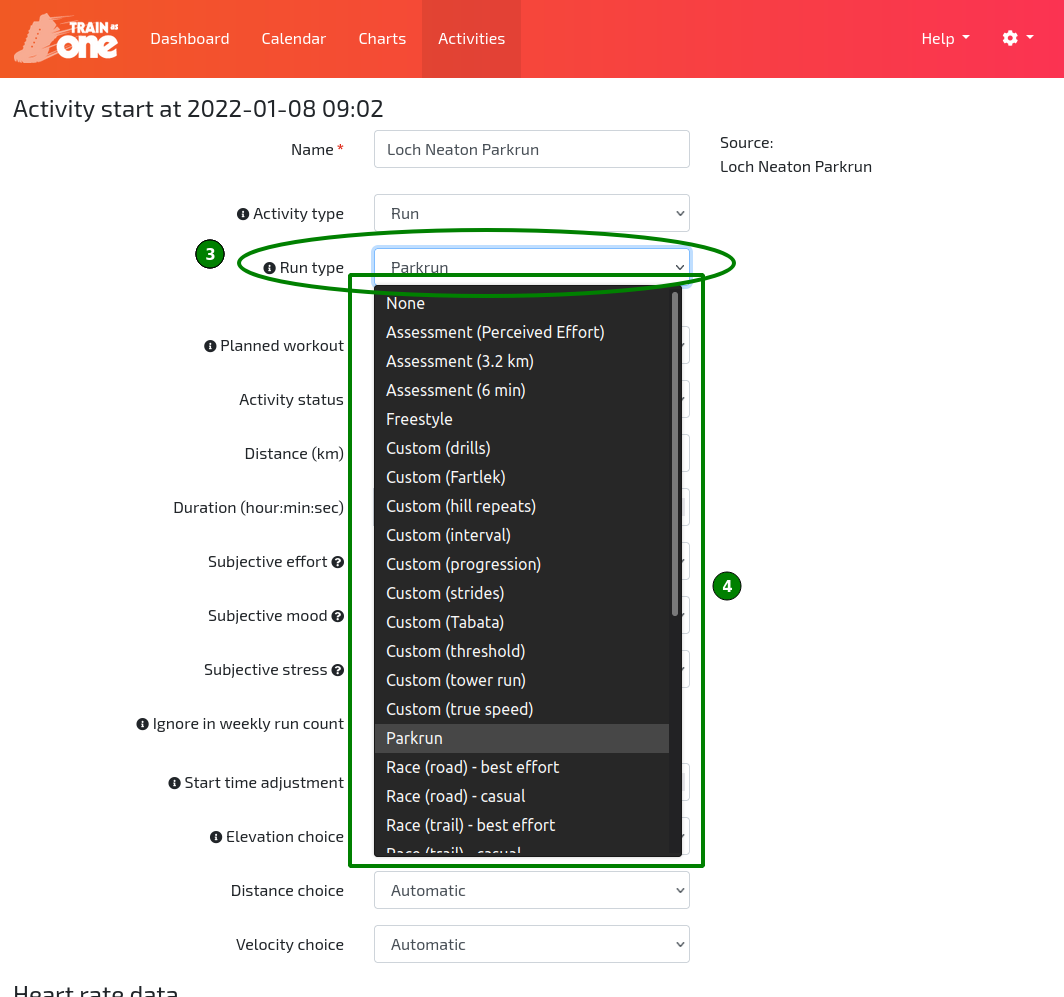
The 'Run type' drop-down menu on the Edit Activity page.