
Whilst the TrainAsONE AI training plan is our preferred option, there are times when you may wish follow a more traditional 'run-walk' couch to 5k style plan. This is maybe more applicable for beginner runners or those to returning to running following a significant hiatus or following injury. Switching to our couch to 5k plan (or back) is easily done within your Training Settings:
- Go to your Training Settings and click the 'Update training settings' button.
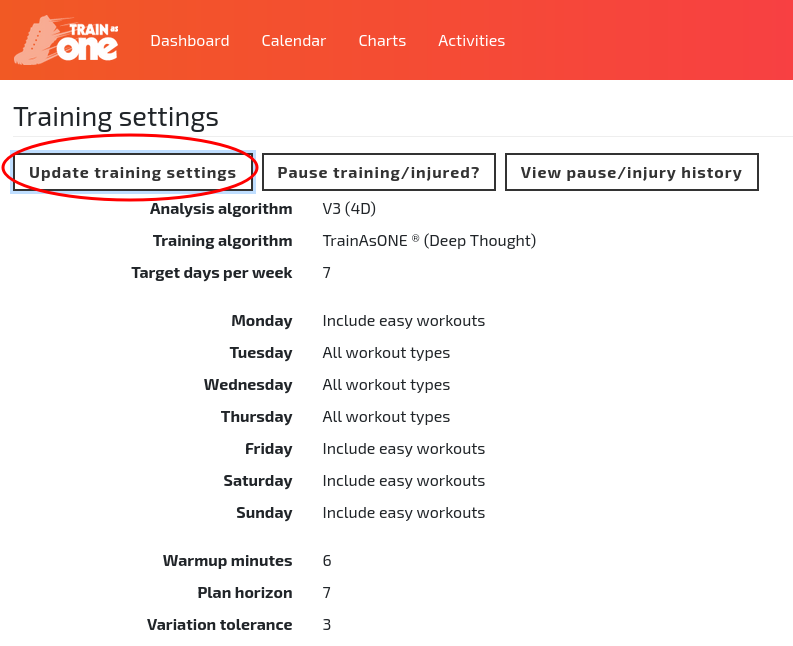
The ‘Update training settings’ button of the Training Settings page.
- Select 'Couch to 5k' under 'Training algorithm' (and optionally edit 'Start date' or 'Start run' to skip weeks).
- Click 'Save'.
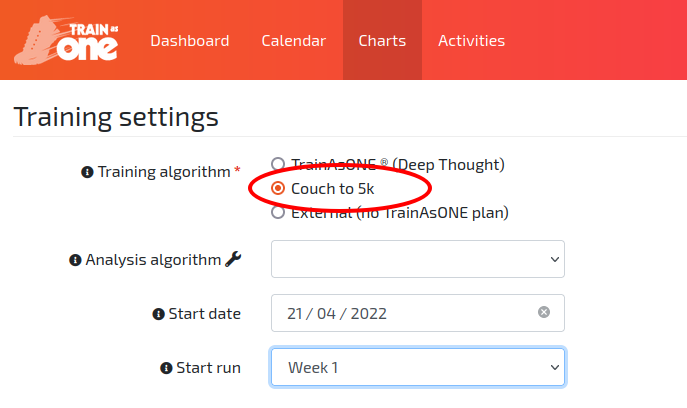
Selecting the Couch to 5k plan within Training Settings.