
How do I configure TrainAsONE to schedule runs every other day?
By Dr. Sean Radford
•
23rd June 2022
(Updated 8th October 2022)
So you want to run 3 days one week, and 4 the next, always with 1 day of rest? It's easy to configure your settings to achieve this (though there are a couple of caveats - see below).
Just go to your Training Settings, click 'Update' and set your 'Target runs per week' to 4 (or higher) and the 'Max run streak' field to 1. Save and let your new plan build.
(You may need to click on the 'Advanced options' link to reveal the 'Max run streak' field.)
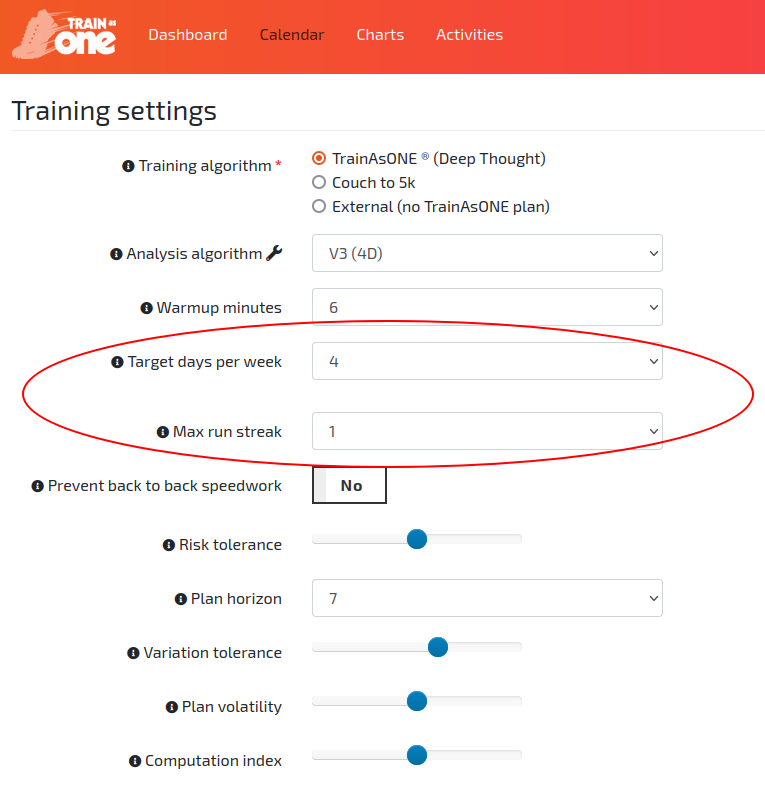
The 'Target days per week' and 'Max run streak' fields of the Training Settings within TrainAsONE.