How do I incorporate running club workouts into my TrainAsONE plan?
Running clubs are great for so many aspects of running, and TrainAsONE, being the most flexible intelligent training planner lets you easily easily incorporate your running club workouts into your TrainAsONE plan.
Depending on your personal circumstances and preference you have three options:
1. Do nothing special
This is probably the route to take if you run with your club rarely, and when you do, you do not mind if or how your plan subsequently changes following the club run.
As an extra option it may be that you might like the club run to be an additional run for the week (rather than simply replacing a TrainAsONE workout). If this is the case, once you have completed the club run you can edit it and set the 'ignore in weekly run count' flag.

2. Enter as an ad-hoc specific workout
If your club run is a one-off (or infrequent) and you know the details of the workout (e.g., a 5km time-trial or a 1 hour interval session), you can enter this into your TrainAsONE Calendar. This allows TrainAsONE to build your plan around this specific workout.
- On your web Calendar, click the 'Add specific workout' link for the day of your club run.
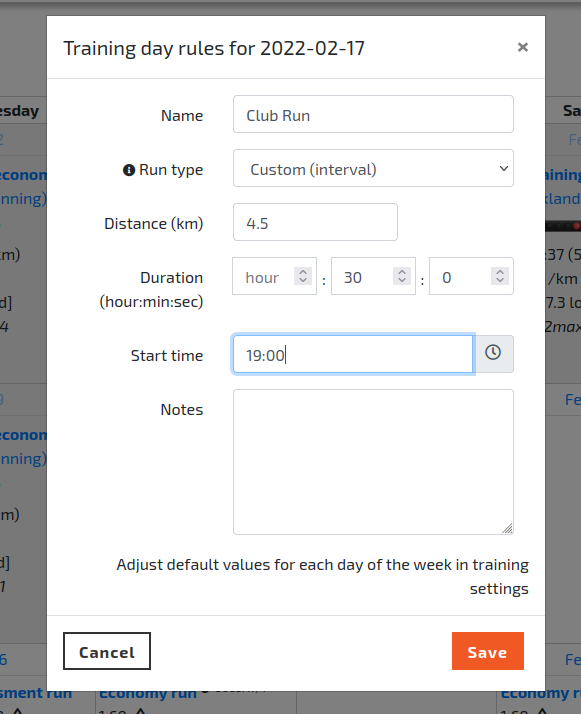
- In the 'Training day rules' dialog, enter the details of the workout and click 'Save'.
3. Set a weekly specific workout
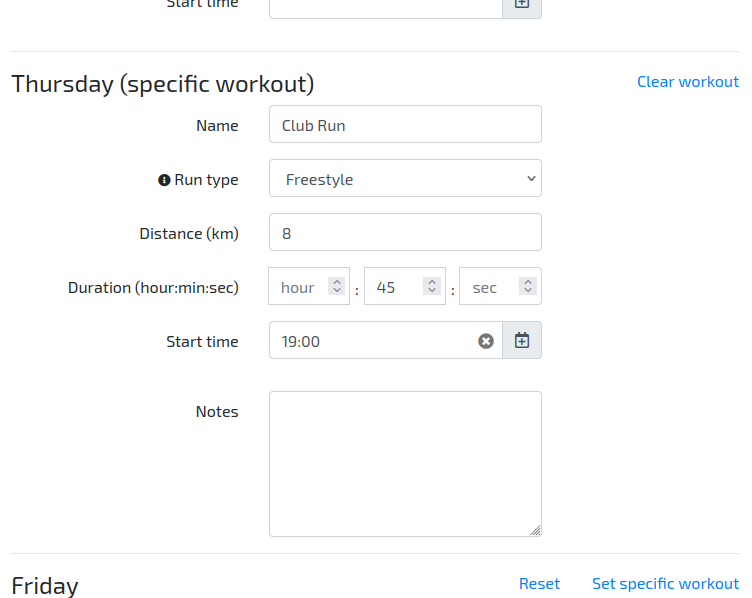
If you run with your club at the same time and with a similar workout every week, you can set this up as a recurring rule in your Training Settings.
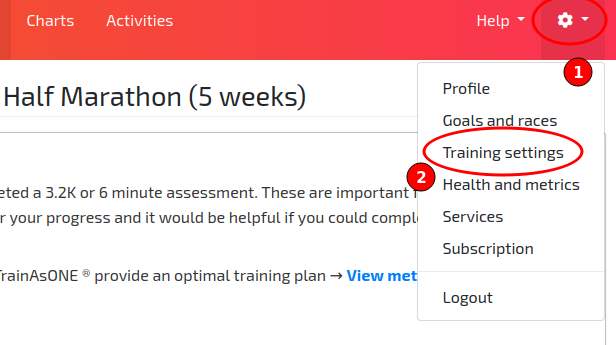
- Go to your Training Settings menu.
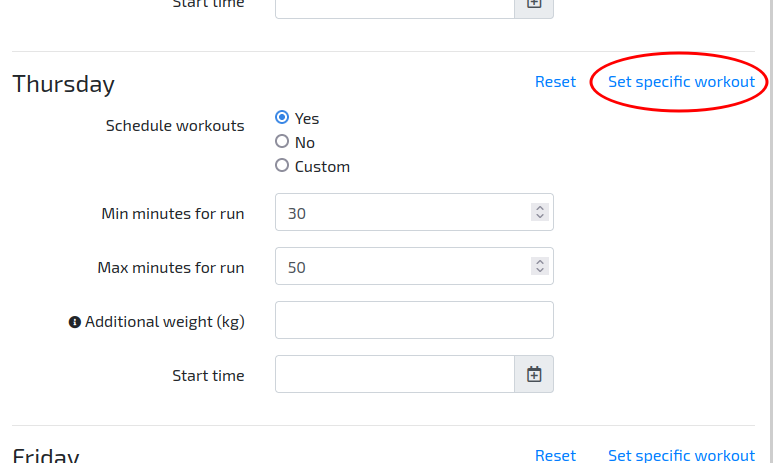
- Click the 'Set specific workout' link.