
I would like to skip a week of my Couch to 5k plan. How can I do this?
By Dr. Sean Radford•14th May 2022
Whilst on the whole this is not encouraged, we readily accept that there are sometimes good reason to do so. And it is easy to do from your Training Settings.
- Click the 'Update training settings' button.
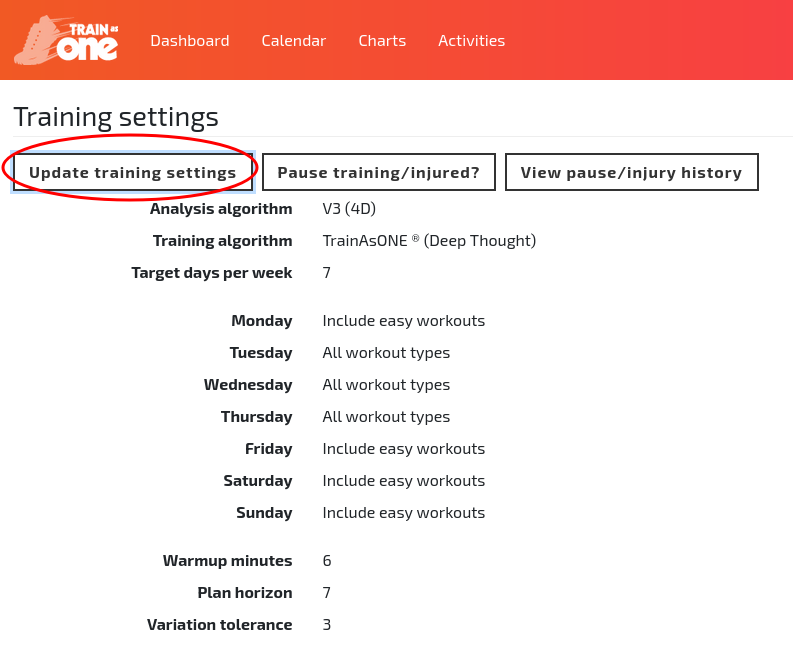
The 'Update training settings' button of the Training Settings page.
- Click the ‘Restart Couch to 5k, or repeat training’ link.
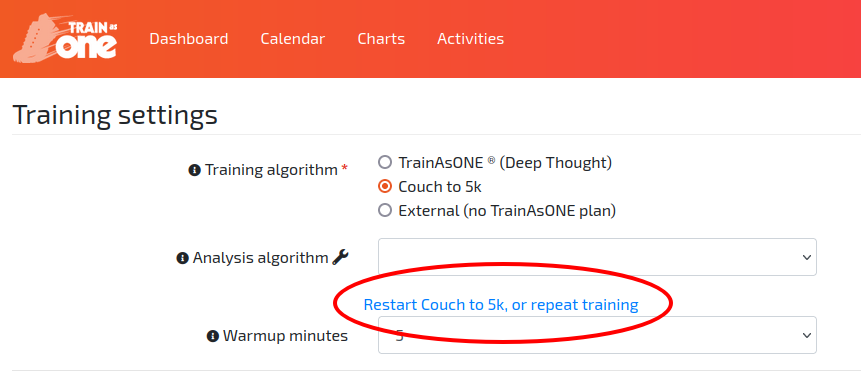
The ‘Restart Couch to 5k, or repeat training’ link on the Training Settings page.
- Adjust ‘Start date’ and/or ‘Start run’ and click ‘Save’.
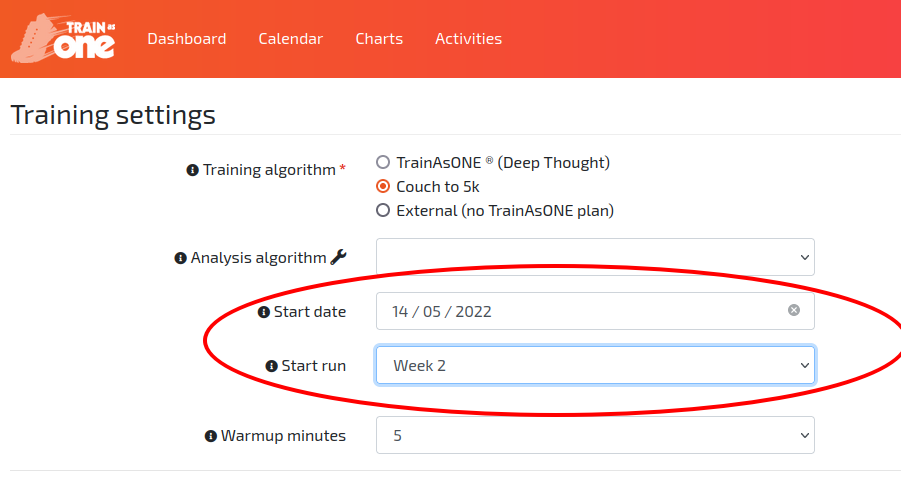
The ‘Start date’ and ‘Start run’ Couch to 5k options on the Training Settings page.