Can I revert my training plan to an older version?
Whilst we would always encourage people to stick with their current training plan, we recognise that there are situations where this is not always ideal.
A good example being the case when you perform a run that causes your plan to change, moving the training days for your next few workouts to days that do not fit with work or personal life. You could simply mark the new workout days as no-run days, or lock the days you want to keep, so that the next plan build meets these new constraints. However, we provide an alternative mechanism to simply revert to a previous plan.
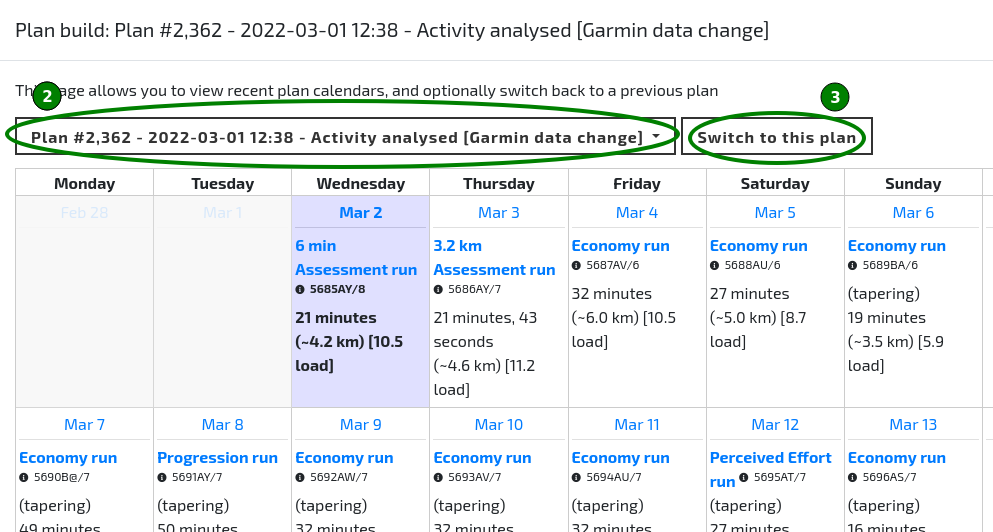
- Open your Training Calendar and click the Show recent plan calendars button (the calendar icon in the toolbar, beside the padlock button). This displays the previous plan builds dialog.
Note: Recent plan calendars are opened from the Training Calendar toolbar; they are no longer available from the Dashboard.
Select a previous plan from the drop-down list.
Click 'Switch to this plan'.